New Reminder Window When Hired Is Set to Yes
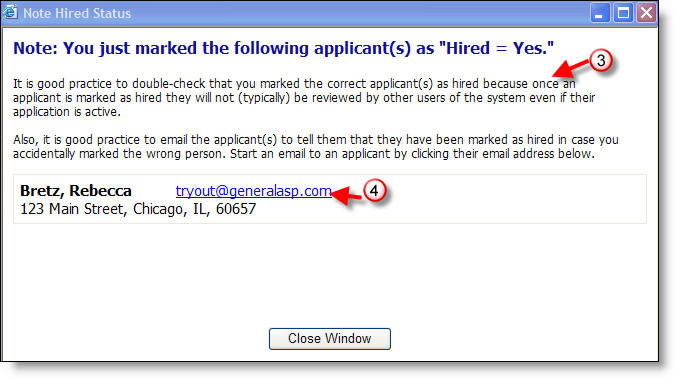
When you use the Notes tab to designate an applicant as hired, a window now appears reminding you to check that the correct applicant has been marked. Also, an opportunity is provided for you to email that applicant as a double check in case you accidentally marked the wrong person.
Here's how:
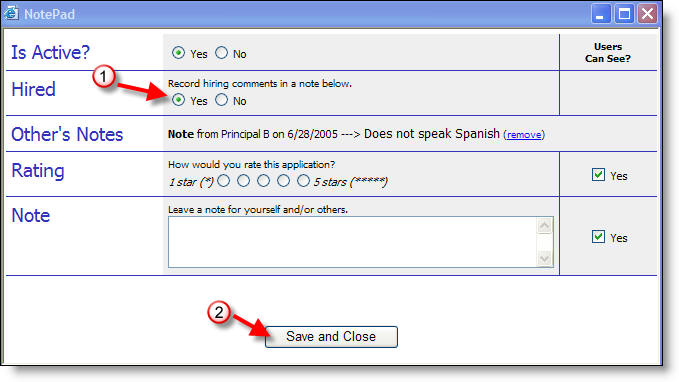
1) Click on Yes in the Hired row.
2) Click on Save and Close.
3) The warning window appears.
4) You can click the applicants email address to notify them of being marked as hired or just close the window after checking to be sure of selecting the correct applicant.
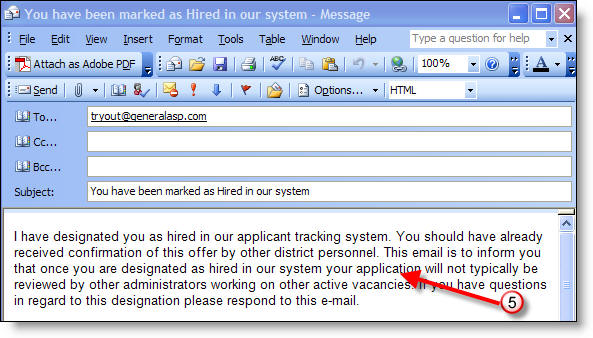
5) If you click on the applicant's email address, an email opens preaddressed with a prepared message.
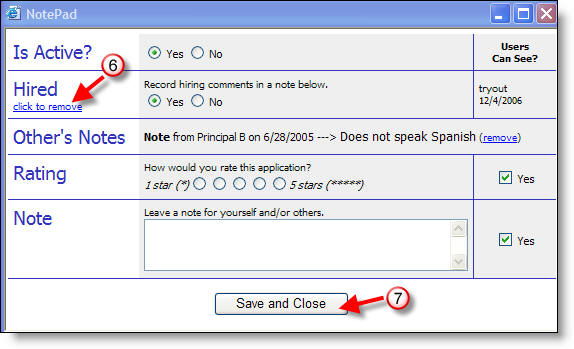
6) If you do designate the incorrect applicant as hired, you can "click to remove" that designation from the NotePad.
7) You will then need to click Save and Close.